 Restriction Cascade
On this page
Requirements#
- Confluence Cloud Standard, Premium or Enterprise. Confluence Free has no page restrictions.
- Works on pages, live docs, folders, whiteboards and databases.
- Only space admins (and Confluence admins) who can edit a page can make it a cascade root. Everyone else can see whether a page is part of a cascade.
Get started#
- Open the page whose editors should apply to everything below it, and restrict editing on it: Share → Specific access, then add the people and groups who may edit.
- Open the page's ••• menu and choose Apps → Restriction Cascade.
- Under Cascade setting, choose Merge or Mirror (see Modes).
- Click Save and apply to all pages below to bring existing pages in line now, or Save to apply only to pages that are added from now on.
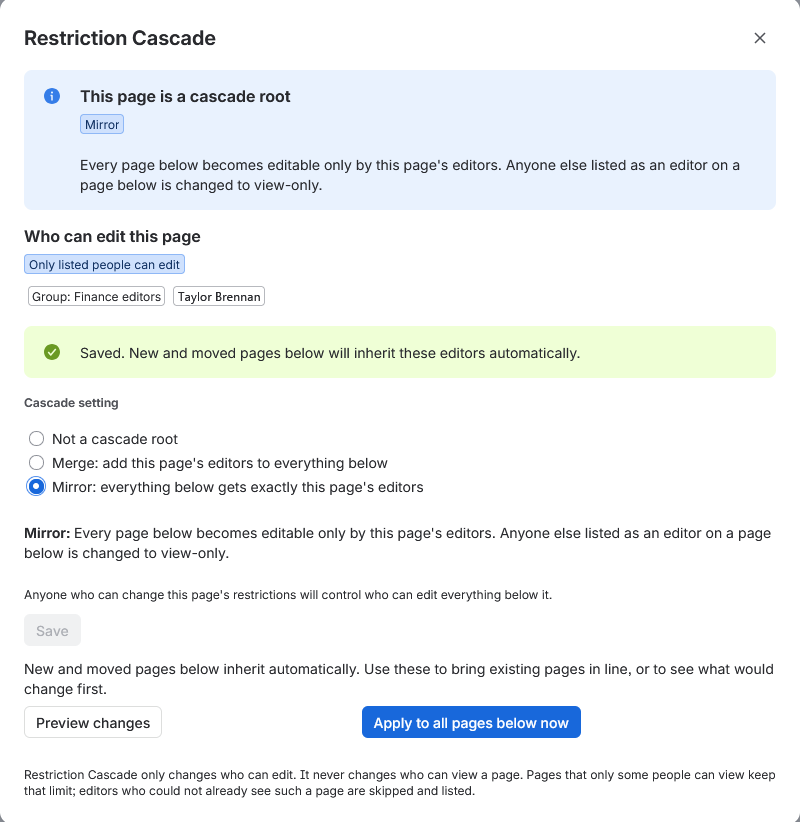
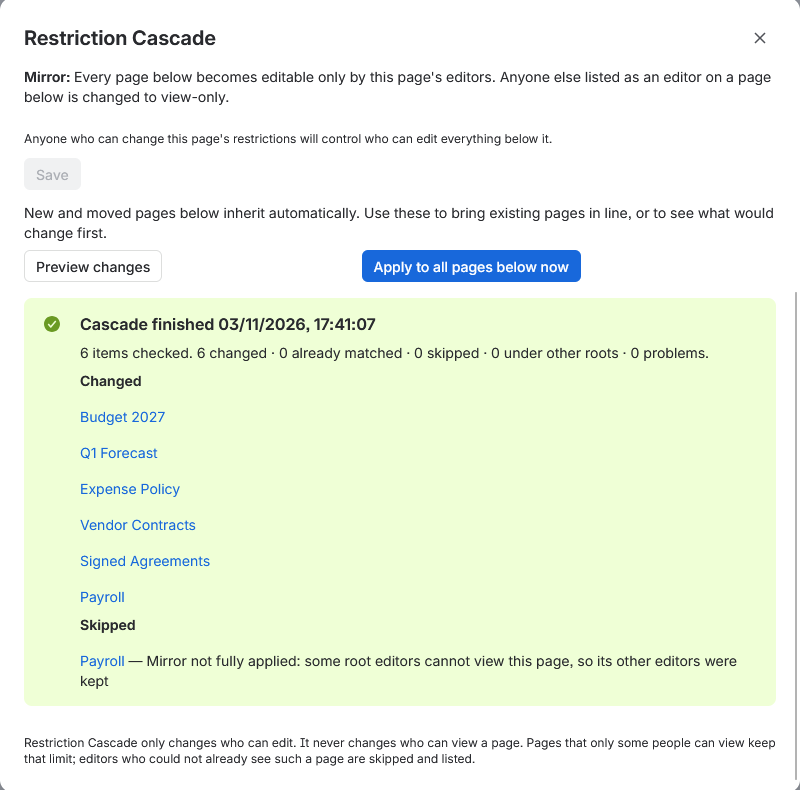
The dialog shows the run's progress and, when it finishes, which pages changed and which were skipped and why.
Modes#
Each root has a mode that decides what happens to the pages below it.
Merge
Pages anyone could edit become editable only by the root's editors. Pages that already restrict editing keep their editors and also get the root's editors.
Mirror
Every page gets exactly the root's editors. Anyone else listed as an editor is changed to view-only. Nobody loses view access.
Exclude
Shields a page and everything below it from a cascade set higher up the tree. Available on pages that sit under a root.
Roots can be nested. The nearest root or exclusion above a page decides.
What happens automatically#
- Content that is created, moved, copied, restored or unarchived below a root is restricted within about a minute. A moved or copied page brings its own children with it.
- When a root's own editors change, everything below it is updated again, usually within about a minute and a half.
- Confluence does not always report that a root's editors changed. An hourly check compares each root's editors with the ones last applied and catches any change that was not reported, so it always lands within the hour.
Apply and preview#
- Apply to all pages below now brings existing pages in line with the root's current editors.
- Preview changes lists what an apply would change, without changing anything.
- Runs happen in the background. You can close the dialog, and stop a run from the dialog or from space settings.
- One run and one preview per root at a time, and at most three user-started runs per space.
Pages only some people can view#
Restriction Cascade only ever changes who can edit. On a page that only some people can view, it gives edit access only to people who can already view it. Root editors who cannot view the page are skipped, and the run lists them, so you can decide whether they should see it.
If a page is view-restricted and the app is not one of the people who can view it, Confluence hides the page from the app entirely. Add the app to that page's view restrictions to include it.
Admin settings#
Space settings
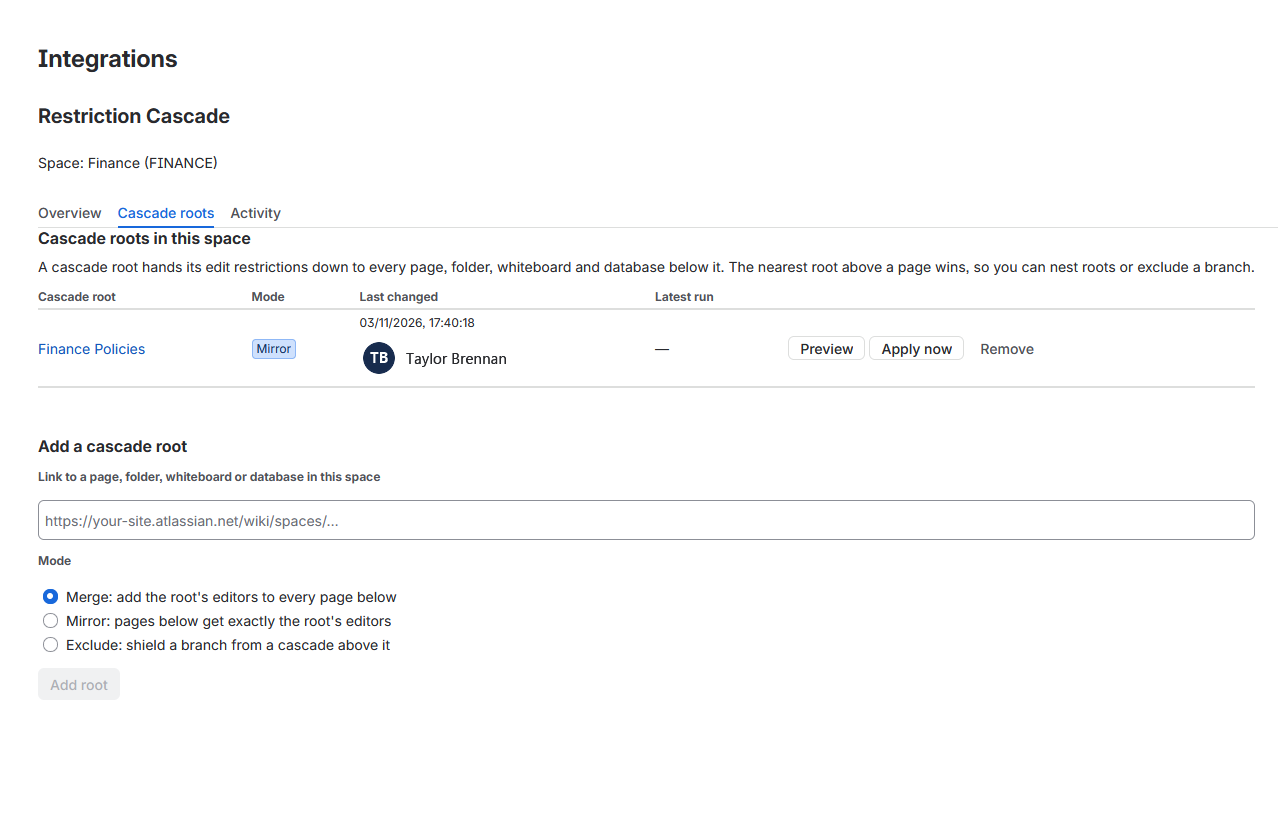
Space settings → Restriction Cascade lists the space's roots and exclusions, lets space admins add roots and run them, switches the app on or off for the space, and shows the space's activity log. A health panel flags anything that stops the app from working in the space.
Site settings
Apps → Manage apps → Restriction Cascade → Configure switches the app on or off for the whole site and shows the site-wide activity log. Only Confluence admins can change it.
Activity log
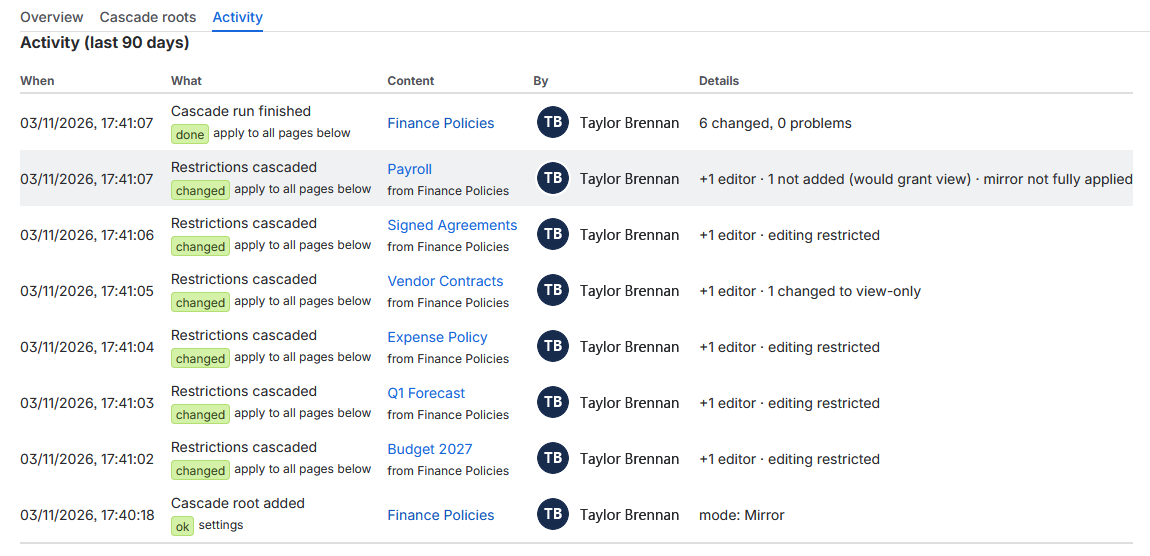
Every change is recorded for 90 days: what changed, on which page, whose edit access was added or changed to view-only, and what triggered it. Page titles are only shown to people who can view that page.
Safety#
- It never changes who can view a page.
- It never deletes permission entries and never replaces a page's restrictions wholesale. Mirror changes extra editors to view-only instead of removing them.
- It re-reads each page just before writing. If someone changed the restrictions in the meantime, it stops and logs a conflict instead of acting on stale data.
- After every write it reads the page again to check the result.
- A cascade never lets anyone change more than Confluence already allows them: only people who can edit the root page and administer its space can set one up.
- It runs entirely on Atlassian's platform. No data leaves Atlassian. See the privacy policy.
Limitations#
- Confluence reports new pages up to about three minutes late, so a brand-new page can briefly be editable by everyone in the space.
- Pages moved out of a root keep the editors they had. Nothing is removed automatically.
- Smart links (embeds) have no restrictions in Confluence, so they are listed as unsupported.
- View-restricted content that the app cannot see is not covered (see above).
Troubleshooting#
The Restriction Cascade dialog never opens
Confluence loads app screens from *.cdn.prod.atlassian-dev.net. Some home and office networks block that domain in their
DNS filter.
Turn on secure DNS (DNS over HTTPS) in your browser, or ask your network admin to allow the domain.
Nothing happens below a root
- Check that the root page itself restricts editing. A page anyone can edit has no editors to hand down.
- Check that the app is switched on for the site and for the space.
- Check the activity log in space settings for skipped pages or conflicts.
- If the licence is not active, cascades are paused and the dialog says so.
Uninstalling#
Restrictions the app has set stay on your pages. Atlassian deletes the app's stored data 28 days after uninstall.
Need help?#
Email us and we will get back to you within two business days (India time).
support@findigo.in